Computer-Based Evaluation Facility (CBEF) Student Policies
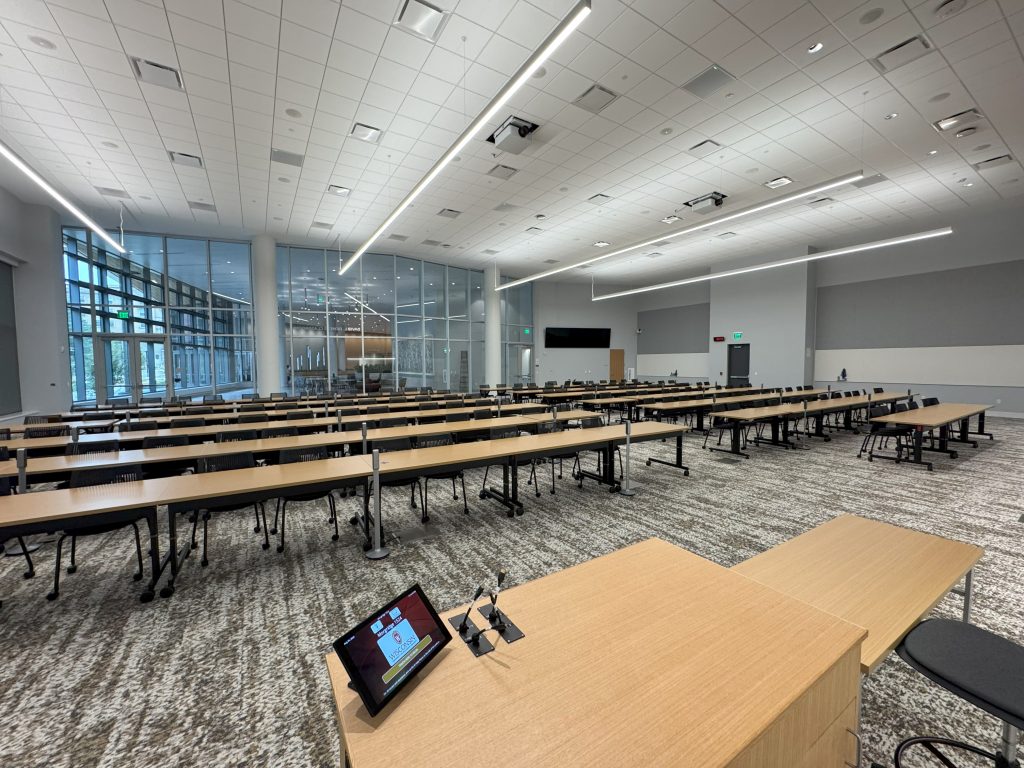
The Computer-Based Evaluation Facility provides a computer-based assessment service for courses in the College of Computing and Artificial Intelligence. It is located in Morgridge Hall room 1524 located on the 1st floor of the building. All testing times must be pre-scheduled by students in advance.
Reservations
Testing times must be pre-scheduled online before the first assessment date (by Sunday evening). Appointments are accepted on a first-come, first-served basis. Once all seats in our testing labs are full, we cannot add any additional seats. Students will receive a scheduling email from their course instructor.
Check-in is allowed up to 10 minutes before or after your scheduled time.
Canceling, Rescheduling, or Editing Appointments
If you need to cancel, reschedule, or edit an existing appointment, you may do so by revisiting the link provided to you in the email (https://sched.testing-center.cai.wisc.edu/).
Bookings must be made before the signup deadline. After the deadline, you may change a booking time by simply clicking another time, assuming there is enough availability. If you do not intend to take an assessment at all at the CBEF (for example, you are ill and have made other arrangements with your instructor), you may cancel a booking. After the deadline, it is not possible to make new bookings, so it is better to change a booking rather than cancel if you still intend to take the assessment.
Testing Procedures
- Schedule your testing time: https://sched.testing-center.cai.wisc.edu/.
- Write down the sign-in code shown on the scheduling site.
- Arrive at Morgridge Hall room 1524, and check in with the following:
- your UW–Madison student ID card
- your sign-in code
- your phone (for Duo authentication on Canvas)
- a pencil or pen for scratch work
- Take your test in Morgridge Hall room 1524.
- Exit the room and check out with your UW–Madison student ID.
Arrival at the CBEF
At the check-in table, students will be instructed to remove all technology (except a phone for Duo authentication) and place it in a backpack. You will be given a bag to place your belongings in if you do not bring something with you.
After students have completed their check-in, they will be instructed to have their silenced phone, student ID, scratch paper, and pencil in hand.
Each student will be escorted to their testing location. There you will:
- Place your UW ID on the testing table for the duration of the assessment session.
- Use your testing code to log onto the laptop.
- Then use your phone to complete duo multi-factor authentication. You are logged into a restricted Canvas assessment page.
- Place your phone in your bag and put all possessions under the testing table, along with any beverage containers.
- Only items on the testing table include: your student ID, scratch paper, pencil, and university issued laptop.
- Click start and your Canvas assessment begins.
All assessments will be delivered in Canvas, which will be your assessment timekeeper. CBEF staff are unable to adjust the testing time set in your Canvas session.
Departing the CBEF
- Once you hit submit in Canvas OR your time expires, turn off the laptop by pressing the power button.
- After power down, press it a second time so the laptop is ready for the next student.
- Once the machine is restarting, collect your items from below and on the table.
- Exit the door marked “exit” and complete your check-out, which includes swiping your UW–Madison student ID and turning in your scratch paper and pencil.
Policies
All students must present their UW–Madison student ID. No other form of identification will be accepted as the CBEF. The CBEF reserves the right to ask for a second ID if needed for identity verification.
Students are only allowed to have a writing utensil and the provided sheet of paper at their testing station. Students need to write their name and course number on the provided scratch paper. All scratch paper will be collected at the check-out station.
The following items are not permitted to be worn or used while completing your assessment. All items must remain in your backpack or in a provided bag. To help ensure a smooth assessment process, please consider leaving these items at home rather than bringing them to the CBEF.
- Calculators
- Smartwatches and fitness trackers
- Pagers
- Radios
- Personal computer devices (laptops, notebooks, tablets, e-readers)
- Headphones, wireless earbuds, or other audio devices
- Camera or video recording devices
- USB drives, external hard drives, and memory cards
- Smart Glasses/ AI Glasses or other wearable technology
- Notes, books and study materials
- Hats
If you have these items, remove them from your person and place them in your backpack or ask the check-in desk for a bag. Bring your mobile phone/smartphone. It is needed for logging into the laptop but then will be stored in your bag under your testing station table.
CBEF staff will only answer technical questions relating to the functionality of the student’s assessment. Staff cannot answer questions related to course content for an assessment. Students are advised to do the best they can and discuss concerns related to test content with their instructor.
No student may leave the room and return to a test in progress. If students are having technical problems or need emergency use of the restroom, they are to get the attention of CBEF staff within the testing room. CBEF may ask the student to step outside the room to assist with resolving the issue, but the student should not exit the room unless directed by CBEF staff.
Students may check in for testing 10 minutes before or after their scheduled time slot. No tests may be started 10 minutes past their scheduled time slot.
Students are not permitted to use electronic devices, study, do homework, or review course materials in the CBEF lobby area.
CBEF is not responsible for personal items left unattended. All personal items will remain with the student but under the testing desks. CBEF reserves the right to hold items on behalf of the student if problematic behavior occurs.
CBEF reserves the right to deny access to students for problematic behavior.
All students are required to be in compliance with the UW–Madison Student Code of Conduct found in Chapter UWS 14 and at: https://conduct.students.wisc.edu/.